
In the rapidly evolving world of technology, choosing the right computer can feel like navigating a maze. For years, the choice was simple: you either bought a bulky tower or a portable laptop. But today, a sleek contender has taken center stage. The all-in-one desktop has revolutionized how we think about the desktop computer. It merges the power of a traditional desktop pc with the compact elegance of a all-in-one computer.
As someone who has spent over a decade in the electronics manufacturing industry here in China, I have seen firsthand how the demand for cleaner, more efficient workspaces has driven the popularity of these devices. Whether you are a business sourcing manager like James looking for reliable office hardware, or a home user wanting to declutter, understanding the all-in-one desktop is crucial. This article is worth reading because we will dismantle the myths, explore the benefits, and help you decide if an AIO is the right upgrade for your life.
What Exactly Is an All-in-One PC?
When we talk about an all-in-one pc, we are describing a computer that integrates the internal components into the same case as the display. Unlike a traditional desktop, which consists of a separate tower and monitor, an AIO is a single unit. This design philosophy is all about simplicity and aesthetics. You essentially have a computer in one package.
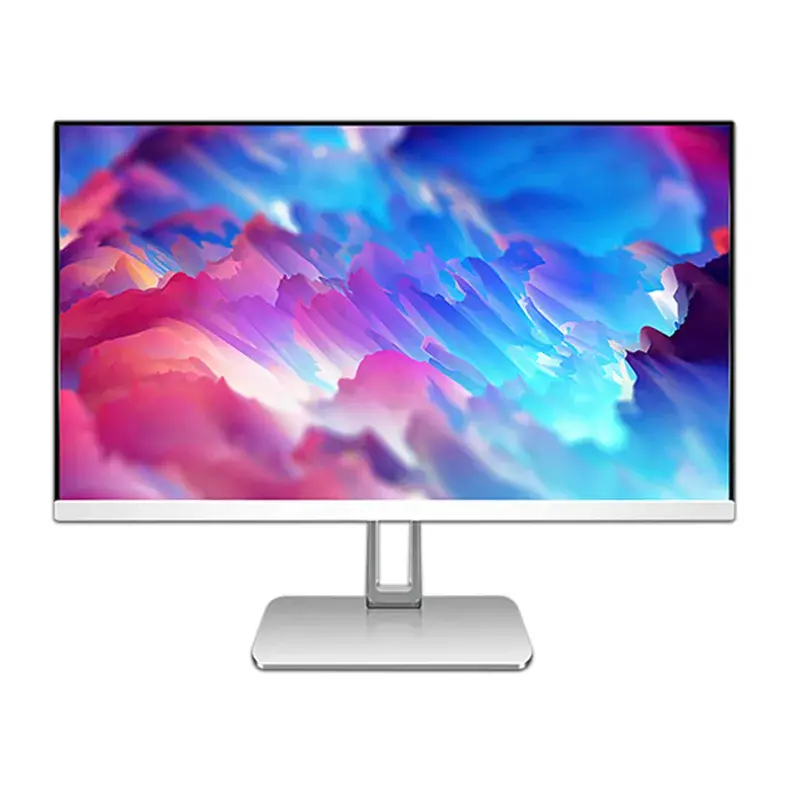
The motherboard, processor, graphics card, and ram are all tucked neatly behind the screen or in the base. This creates a profile that is often as thin as a standard monitor. For many, the aesthetic appeal is the primary draw. There is no need to crawl under a desk to plug in cables, and the footprint on your desk is minimal. It is a space-saving miracle for cramped dorm rooms or modern minimalist offices.
However, do not let the slim size fool you. Modern AIOs are powerful. They often utilize laptop-grade components to keep heat down, but many high-end models now feature desktop-class performance. Whether you are browsing the web or doing heavy spreadsheet work, the processor inside these machines is designed to handle the workload.
How Does an All-in-One Desktop Compare to a Traditional Desktop?
The battle between the all-in-one desktop and the traditional desktop is one of form versus function. A desktop tower is a beast of potential. It has empty space inside for better airflow and expansion. You can easily swap out parts. In contrast, the all-in-one desktop prioritizes a sleek look and ease of use.
One of the biggest advantages of traditional desktops is better cooling. Because the components are spread out in a large case, fans can move air efficiently. AIOs, much like laptops, have to pack everything into a tight space. This can sometimes lead to thermal throttling if the manufacturer hasn't engineered the heat dissipation well. However, for everyday computing, this is rarely an issue.
If you are a power user who needs to squeeze every ounce of speed out of your cpu, a tower might still be your good choice. But for 90% of users, the performance gap has closed significantly. With the rise of efficient chips like the Ultra 7, an all-in-one desktop can now rival the speed of bulky desktop towers without the ugliness of a black metal box sitting on your floor.
Why Might an AIO Be a Good Choice Over a Laptop?
You might be asking, "Why not just buy a laptop?" It is a valid question. Laptops offer portability, which is their main selling point. However, if your computer is going to sit on a desk 99% of the time, a laptop has drawbacks. The screen is usually small, the keyboard is cramped, and the trackpad is never as good as a real mouse.
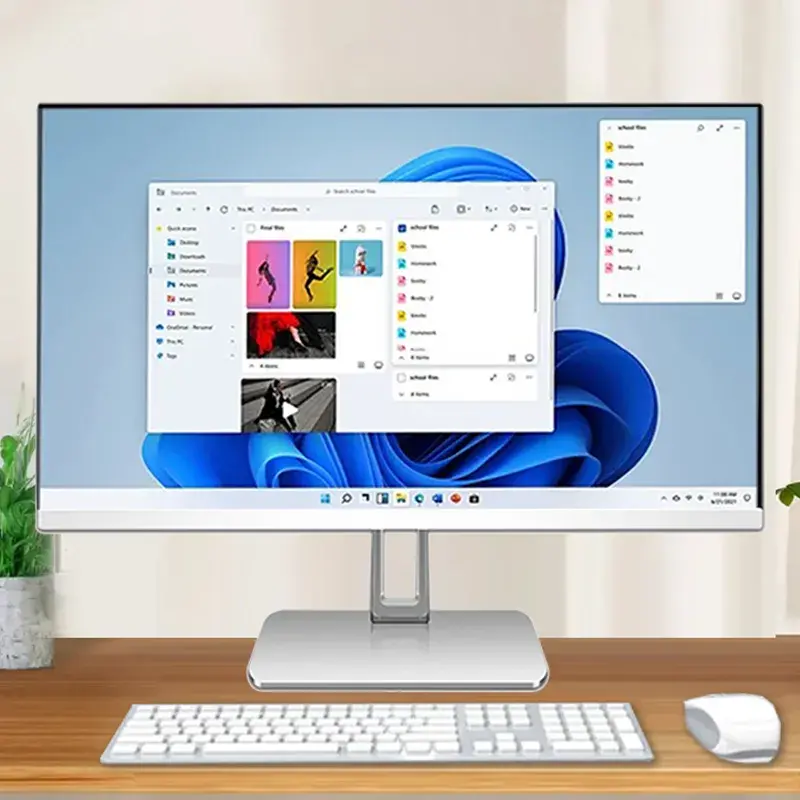
An all-in-one computer gives you a larger screen and better ergonomics right out of the box. You are forced to use a separate keyboard and mouse, which is better for your posture. Plus, the display is positioned at eye level. While you can dock a laptop to a monitor, that requires extra cables and cost. An AIO is a cleaner solution for the home office.
Furthermore, screen real estate matters. A 15-inch laptop screen can feel claustrophobic for multitasking. An AIO typically starts at 23.8-inch and goes up to 27-inch or even larger. This makes a massive difference for productivity. If you need a mobile solution with a large screen, you might consider a 17.3 Inch Laptop 174-N5095 as a middle ground, but strictly for a stationary desk, the AIO wins.
Can You Really Use an All-in-One Computer for Gaming?
Gaming on an all-in-one computer has a complicated reputation. Historically, AIOs relied on integrated graphics, which are fine for solitaire but terrible for modern 3D games. Serious gamers always preferred desktop pcs where they could install a massive graphics card.
However, things are changing. Some high-end AIOs now come with discrete gpu options. While they might be a modest discrete card compared to a top-tier gaming rig, they can handle popular titles decently well. You won't be playing smoothly at 4k resolution on ultra settings usually, but for casual gaming, it is possible.
That said, if gaming is your main priority, an AIO is often not the best of both worlds. The lack of cooling space means loud fans and potential throttling. Plus, you cannot just upgrade the graphic card later. If you want a portable gaming rig, a high-performance laptop is often a better suited choice. But for a family computer that plays Minecraft and handles homework, an AIO with decent graphics capability is a great choice.
What Should You Look for in the Monitor and Display?
The monitor is the most critical part of an all-in-one pc because you are stuck with it. You cannot swap it out like you can with a desktop tower. Therefore, screen quality should be your top priority. You want a display that is bright, sharp, and has good viewing angles.
Look for at least Full HD resolution. 4k or UHD is even better if you are into photo editing or want immersive entertainment. The difference between 1080p and 4k on a 27-inch screen is very noticeable. Text looks crisper, and images look lifelike.
Another feature to consider is a touch screen. A touchscreen display adds a layer of interactivity that makes navigating Windows much more intuitive, similar to using a giant tablet. For creative professionals or educational settings, a touch screen AIO is a fantastic tool. If you need robust touch capabilities in a more mobile form factor, devices like our 10.1 Inch Rugged Tablet GS10N offer incredible durability and interaction.
Are AIOs Easier to Move and Set Up?
One of the undeniable benefits of all-in-one pcs is that they are easier to move. Imagine moving a traditional desktop. You have to disconnect the monitor, the power cables, the mouse, the keyboard, and lug a heavy tower plus a fragile screen. It is a hassle.
An AIO is a single unit. You unplug one power cord, pick up the whole unit, and you are done. It is easy to set up in a new room. This plug-and-play nature makes them perfect for businesses that reorganize offices frequently or for renters who move often. It takes up less physical effort to manage.
While not as portable as a laptop, the AIO offers a nice balance. It provides the stability of a desktop computer without the anchor-like weight of desktop towers. If you need to clear your desk for a project, you can simply push the AIO aside.
How Does the Processor and Performance Stack Up?
The heart of any computer is the processor. In the world of AIOs, you will find a mix of mobile and desktop chips. A mobile processor, like those found in laptops, runs cooler and uses less power. A desktop processor offers more raw power but generates more heat.
For most all-in-one desktops, manufacturers aim for a sweet spot. You will often see chips like the Intel Ultra 7 or Core i7 processor. These are high-performance engines capable of handling heavy productivity tasks. When paired with 16gb of ram and a fast 1tb ssd, the system feels incredibly snappy.
Do you need an Ultra 7? For everyday computing like web browsing and email, no. But for video editing or heavy multitasking, that extra processing power ensures your AIO stays fast for years. Always check the ram count. 8gb is the bare minimum today; 16gb is the standard for a smooth experience.
What About Upgradeability? Is It a Dealbreaker?
Here is the elephant in the room: upgradeability. With a traditional desktop, if your processor gets old, you buy a new one. If you need better graphics, you buy a new card and stick it in the slot. With an all-in-one desktop, this is usually impossible.
Most AIOs have the cpu and graphics soldered directly to the motherboard. You cannot upgrade them. You might be able to add more ram or swap the storage drive, but that is often the limit of expandability. This means the lifespan of an AIO is generally tied to its initial specs.
Is this a dealbreaker? For a power user, maybe. But for the average person, computers have become fast enough that they last 5-7 years without needing major internal changes. By the time the processor is too slow, the screen technology might be outdated too. So, while upgradeability is low, it is becoming less of an issue for general users.
Connectivity: Do You Get Enough Ports?
Because AIOs are sleek, space for ports can be limited. A traditional desktop might have 10 USB ports. An AIO might only have 4. You need to check the back and sides of the screen carefully.
You will want USB-C, USB-A for your legacy peripheral devices, an HDMI-in/out port (so you can use the AIO as a monitor for another device), and an ethernet jack for stable internet. A built-in webcam and microphone are standard, which is great for Zoom calls.
Sometimes the ports are in hard-to-reach places on the back. This is a design trade-off for the slimmer design. If you have a lot of gadgets, you might need a USB hub. However, the inclusion of Bluetooth allows you to connect a wireless mouse and keyboard, freeing up physical ports.
Examining Market Leaders: What Can We Learn from HP and Apple?
When people think of AIOs, they often think of the Apple iMac. Apple iMac defined the category with its stunning design and retina displays. The iMac's integration of hardware and software is seamless. On the Windows side, HP has been a dominant force.
HP offers a wide range of all-in-one pcs. From the budget-friendly HP Pavilion to the premium HP Envy series, HP has shown that Windows AIOs can be just as beautiful as Apple's. The HP Envy, in particular, often features wide curved screens and powerful graphics for creators.
We can learn a lot from HP. They focus heavily on the sound quality (often partnering with audio brands) and the webcam privacy features. Whether you choose an HP, a Lenovo, or a customized OEM solution from a manufacturer like us, the standard set by these giants proves that the AIO form factor is here to stay.
Conclusion: Finding the Right Computer for You
Deciding to buy an aio comes down to analyzing your needs and budget. If you want a computer in one tidy package that looks great in your home or office, saves space, and offers a larger screen than a laptop, the all-in-one desktop is a fantastic choice.
It might not have the infinite upgradeability of a traditional desktop, but for work and entertainment, it offers a streamlined experience that is hard to beat. The AIO has matured from a niche product into a powerhouse of productivity.
To summarize the key takeaways:
- Aesthetics & Space: AIOs are sleek, space-saving, and reduce cable clutter significantly compared to desktop towers.
- Performance: Modern AIOs utilize powerful chips like the Ultra 7 and decent ram (aim for 16gb), making them suitable for heavy workloads.
- Display: The monitor is permanent, so prioritize screen quality. 4k and touch screen options are worth the investment.
- Gaming: While not primary gaming machines, high-end models with discrete gpu options can handle casual gaming.
- Convenience: They are easier to move and set up (often plug-and-play) than traditional systems.
- Brands: Giants like HP and Apple have proven the reliability of this form factor.
- Business Use: For offices, they provide a professional look and are easy for IT to deploy. If you need portable power for business, consider checking out our 15.6 Inch Laptop X7S-6.
Whether you are equipping a school, a corporate office, or just your living room, the all-in-one pc offers a compelling blend of style and substance.
Post time: Dec-30-2025