
Imagine a world without the ability to instantly video chat with a colleague across the ocean or stream a movie in high definition while sitting at a cafe. It is hard to picture, right? The device that made this digital revolution possible is the personal computer, or pc. From the massive, room-sized machines of the past to the sleek devices we use today, the pc has fundamentally changed how we live, work, and play.
This article is worth reading because it peels back the layers of the technology we use every day. We will explore the fascinating history of the ibm pc, break down the critical pc components like the cpu and ram, and explain how the operating system brings it all to life. Whether you are a business owner looking to upgrade your office fleet or just curious about how that metal box on your desk works, this guide covers everything you need to know about personal computing.
What Exactly Defines a Personal Computer?
At its core, a personal computer is a general-purpose computer whose size, capabilities, and price make it useful for individuals. The key phrase here is intended for one person at a time. Before the pc revolution, the computer industry was dominated by mainframe computers. These were massive, expensive machines used by large corporations and universities, accessed by many people simultaneously through attached terminals.
A typical pc consists of hardware that allows a single user to perform various tasks, from word processing and desktop publishing to browsing the internet and gaming. Unlike a mainframe or a supercomputer, a pc is a small computer designed for interactivity. It empowers the user to create, consume, and manage data directly.
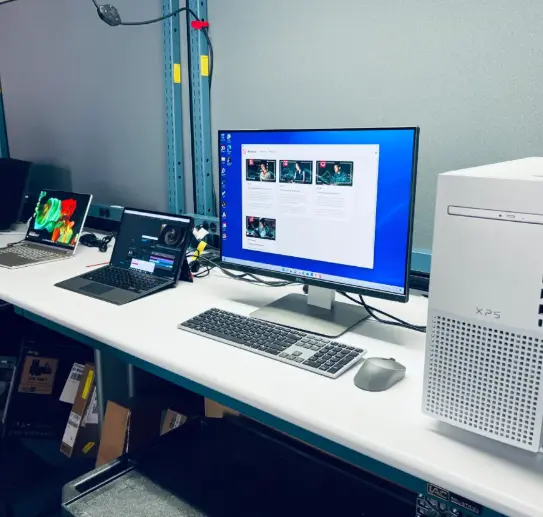
Today, the definition has expanded. While we traditionally think of a desktop pc or a laptop when we hear the term, devices like tablets and smartphones are also technically personal computers. However, for the sake of clarity, when we talk about pcs, we usually refer to desktop computers and laptop computers running an os like Microsoft Windows, Linux, or macOS.
How Did the IBM PC and Others Shape History?
The journey to the modern pc began in the 1970s. Early machines like the Altair 8800 (created by MITS) and the Commodore PET (Personal Electronic Transactor) were aimed at hobbyists. They were difficult to use and lacked a graphical user interface. Then came the Apple II, an Apple computer that brought color graphics and friendliness to the market, signaling that personal computing was for everyone.
However, the real game-changer arrived in 1981 with the IBM PC. IBM (International Business Machines) was a giant in the business world. When they released the IBM PC, it legitimized the concept of a computer on every desk. It used a microprocessor from Intel and an operating system from Microsoft called MS-DOS (Microsoft Disk Operating System).
This open architecture allowed other manufacturers to create "clones" that worked just like the IBM machine. This standardization is why the term "pc" became synonymous with Windows-based computers, distinct from Macs. The legacy of the IBM PC is massive; it established the hardware standards that pcs still follow today. Even the Radio Shack TRS-80 played a vital role in making computers accessible before IBM took the lead.
Desktop vs. Laptop: Which PC Form Factor Is Right for You?
When choosing a pc, the biggest decision is often between a desktop and a laptop. Desktop computers are stationary. They usually consist of a separate tower case, monitor, keyboard and mouse. Because they are larger, they can hold more powerful computer parts and have better cooling. This makes them ideal for heavy tasks like video editing or high-end gaming.
On the other hand, laptop computers (or notebooks) integrate the screen, keyboard, and touchpad into a portable personal unit. As mobile technology has advanced, laptops have become incredibly powerful, often rivaling desktops. For example, our 16 Inch Laptop DS160N95 offers a large screen and robust performance in a form factor you can carry in a bag.
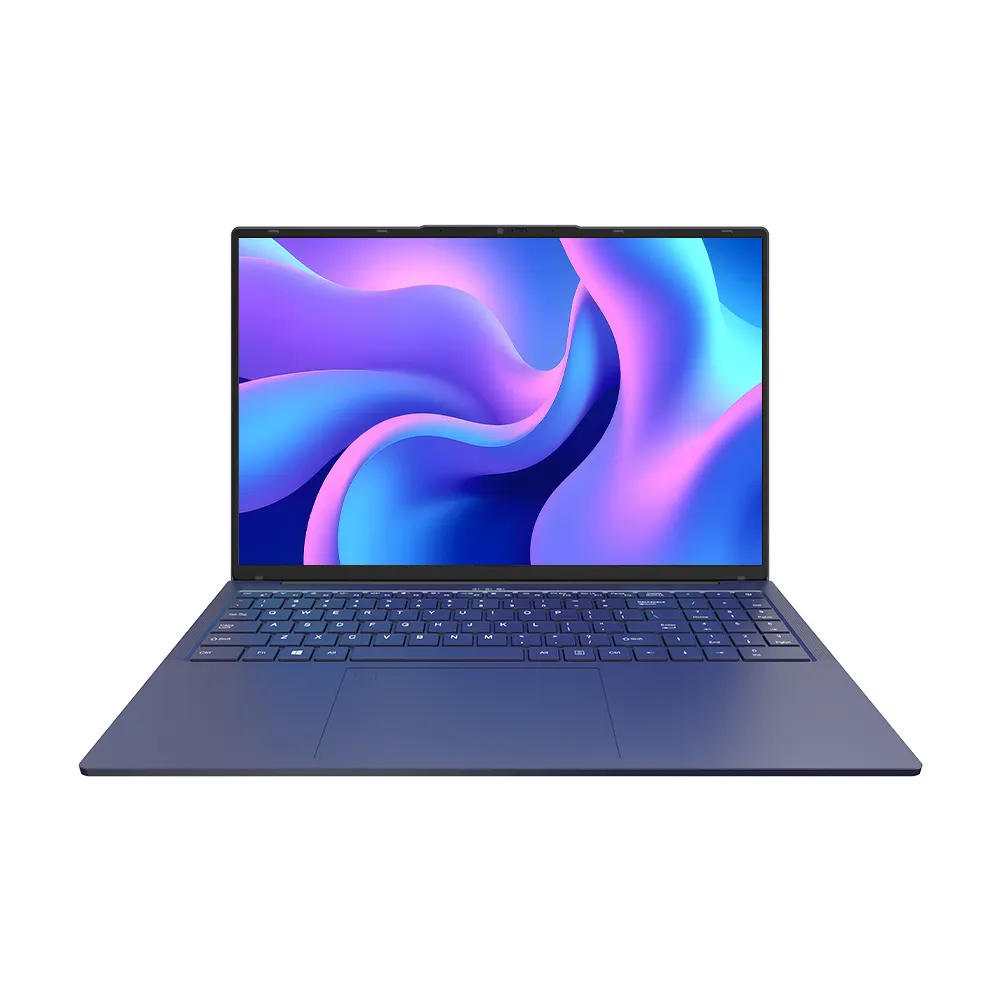
We also saw the rise and fall of the netbook—a small, inexpensive, and less powerful laptop designed primarily for internet access. While the term netbook has mostly faded, replaced by ultra-thin laptops and tablets, the concept of highly portable computers remains vital. Netbooks paved the way for modern Ultrabooks. Ultimately, the choice depends on whether you need raw power or the ability to compute from a coffee shop.
What Is the CPU and Why Is It Called the Brain?
The central processing unit, or cpu, is the most critical component of any pc. You can think of it as the brain of the computer. It is a microprocessor that executes instructions from hardware and software. When you click a mouse or open an app, the cpu is the part that figures out what to do.
Major players like Intel and AMD manufacture these chips. The speed of a cpu determines how fast the pc can process data. A faster processor allows you to open programs quicker and run multiple applications at once without the computer slowing down.
In the early days of the IBM PC, processors were simple. Today, a modern cpu has multiple "cores," allowing it to handle many tasks simultaneously. Whether you are using a desktop or a portable personal computer, the cpu dictates the ceiling of your computing power.
Why Is RAM (Random Access Memory) Critical for Performance?
If the cpu is the brain, then ram (random access memory) is the short-term working memory. RAM is volatile memory, which means it only holds data while the pc is turned on. When you turn the computer off, the ram is cleared.
Computer memory is crucial because it stores the data that the cpu needs to access quickly. When you open a web browser or a document, it is loaded from the hard drive into RAM. The more amount of ram you have, the more tabs you can keep open and the smoother your pc will run.
PCs are desktop computers or laptops that rely heavily on this speed. If you don't have enough ram, the computer has to constantly swap data back and forth to the slower storage drive, causing the system to lag. For modern personal computing, 8GB to 16GB of RAM is the standard recommendation.
How Do GPUs and Graphic Interfaces Change the Experience?
The gpu, or graphics processing unit, is responsible for rendering images, video, and games. In the past, computers only displayed text. Today, the graphic experience is everything. The gpu takes the heavy lifting of visual calculations away from the cpu, allowing for smoother performance.
Early computers used a command-line interface where you had to type specific codes. The introduction of the gui (graphical user interface) changed everything. The GUI allows you to interact with the pc using icons, windows, and menus. Microsoft Windows and the Macintosh OS popularized the GUI, making computers accessible to non-experts.
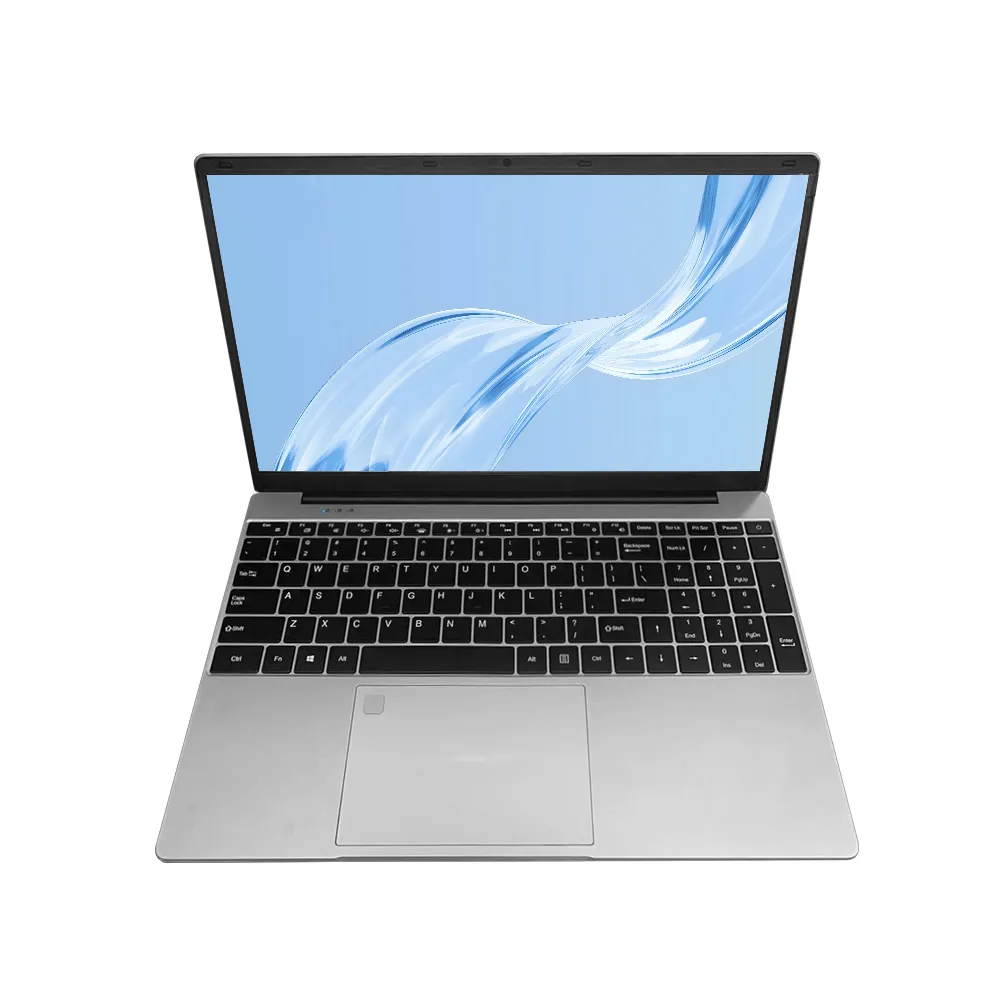
For gamers and creative professionals, a dedicated gpu is essential. It enables the pc to render 3D environments and edit high-resolution video. Even for basic tasks, a good graphic chip ensures that high-definition video streams play smoothly on your 15.6 inch Laptop I71060NG7.
Storage Devices: Hard Disk Drives vs. SSDs?
To store data permanently—like your photos, documents, and the operating system itself—you need storage devices. For decades, the hard disk drive (HDD) was the standard. These drives use spinning magnetic platters to read and write information. They are spacious and cheap but relatively slow.
In recent years, SSDs (solid-state drives) have taken over. Solid-state storage uses flash memory chips, similar to what is in a USB drive, but much faster. SSDs have no moving parts, making them faster, quieter, and more durable than hard disk drives.
A pc consists of many parts, but upgrading to an SSD is one of the best ways to speed up an old machine. We also used to rely on optical drives (CD/DVD drives) for installing software and playing media. However, optical storage has largely disappeared from modern pcs as fast internet speeds allow us to download everything directly.
What Is an Operating System (OS) and Why Do You Need It?
Hardware is useless without software. The operating system (os) is the most important software on a pc. It manages the hardware and software resources and provides common services for computer programs. The OS is the bridge between you and the physical components like the cpu and ram.
Microsoft Windows is the most common operating system for pcs, found on the vast majority of desktop and laptop devices globally. Linux is another powerful os, often used by developers and servers, known for being free and open-source. Apple's macOS is the os for Macs.
The OS handles the file system, memory management, and the gui. It allows you to multitask, running a spreadsheet while listening to music. Without an operating system and software, a pc is just a collection of metal and silicon.
How Do Peripherals Like the Keyboard and Mouse Connect You?
The interface between the human and the machine happens through peripherals. The keyboard and mouse are the primary tools we use to input commands. In the early days, you only had a keyboard. The invention of the mouse revolutionized how we navigate the gui.
On laptops, the mouse is replaced by a touchpad, though many people still prefer plugging in an external mouse. These devices connect to the motherboards (the main circuit board) via USB or Bluetooth.
Input methods are evolving. Touchscreens, like those found on our 10.1 Inch Rugged Tablet GS10N, allow for a more direct interaction. Voice commands are also becoming common. However, for serious productivity, the tactile feedback of a physical keyboard remains unbeaten.
How Does the PC Connect to the World via Internet Protocol?
A standalone pc is powerful, but a connected pc is limitless. Networking allows computers to communicate. This is governed by the Internet Protocol (IP). An IP address is a unique identifier that allows your pc to send and receive data across the globe.
When you are browsing the internet, your pc uses this protocol to request data from servers. Whether you connect via an Ethernet cable or Wi-Fi, the flow of data is constant. This connectivity has transformed the pc from a calculation tool into a communication hub.
Modern pcs are designed with connectivity in mind, featuring fast Wi-Fi chips and often 5G capabilities in portable computers. This ensures that whether you are working from a desktop in an office or a netbook in a park, you stay connected to the digital world.
Conclusion
The personal computer has come a long way from the hobbyist kits of the 1970s. From the standardization brought by the IBM PC to the sleek, high-performance laptop computers we manufacture today, the pc remains the most versatile tool in our arsenal. It is a machine of infinite potential, limited only by the software it runs and the imagination of its user.
Here are the key takeaways to remember about the pc:
- Definition: A pc is a general-purpose computer intended for use by one person at a time, distinct from mainframe computers.
- History: The IBM PC set the standard for hardware, while the Altair, Apple II, and Commodore PET paved the way.
- Forms: PCs come in various shapes, primarily desktop computers (stationary) and laptops (portable).
- Brain: The cpu (Central Processing Unit) is the microprocessor that processes all instructions.
- Memory: RAM is volatile memory used for active tasks; more ram means better multitasking.
- Storage: Data is stored on hard disk drives or faster SSDs (Solid State Drives).
- Visuals: The gpu handles graphic rendering, essential for the gui and gaming.
- Software: An operating system like Microsoft Windows or Linux manages the hardware and provides the user interface.
- Input: The keyboard and mouse are the standard input devices, though touch is growing.
- Connectivity: The Internet Protocol enables global communication and browsing the internet.
Whether you are using a powerful desktop pc for work or a 14 inch Laptop 14-N5000 for school, understanding these pc components helps you appreciate the incredible engineering at your fingertips. Every effort has been made to make this guide comprehensive, but the world of pcs is always evolving!
Post time: Jan-26-2026